 Open this page at full size ↗
For new, interim and established perioperative leaders improving their service
Perioperative Leader Launch System
Turn the OR problem in front of you into a workable plan.
Late first cases, slow turnover and staffing concerns can keep returning even when everyone is working hard. Check what is happening, involve the right people and prepare a change your team can realistically try.
A plan for one OR problem: what to change, who needs to help, what approval is needed and when to review it.
- One bookmarked PDF
- Fillable worksheets
- Print selected pages
$59 USD · one-time purchase
One bookmarked PDF · No ZIP extraction · Individual professional use. Phone download guide →
1 individual-use license · no subscription
Preview before you buy. If a file is missing, faulty or does not match its description, contact WCL for help or a refund where the policy applies. Review delivery and limited refund terms before purchase.
What’s included
One 104-page bookmarked PDF with fillable working pages. Save a working copy, choose the section you need and begin. No ZIP extraction.
- Operational Performance and Growth: first-case reliability, room turnover, labor productivity, capacity and service-line growth
- Surgeon Relationships and Service: clear service agreements, recovery conversations, respectful boundaries and growth partnerships
- Eight completed examples, eight practice situations where the facts change, and eight fillable action pages across the two core guides
- An Appointment Field Guide to clarify your responsibilities, the decisions your senior leader needs to make, and the handover for a new or interim role
- Eighteen planning illustrations, an 18-page fillable Tool Workbook and a clear Start Here section
Choose this when
You are starting a perioperative leadership role or need a clear plan for a recurring operating-room or surgeon-service problem.
Choose Launch System for operating performance, surgeon service and starting a new or interim role. Choose Decision Desk for deeper help with staff conversations and development.
When this is not the right purchase
You need an approved staffing model, facility-specific clinical policy or a consultant to run the change. Local decisions and approvals still matter.
Start here
- Open the PDF and choose the relevant section from the contents or bookmarks.
- Read the completed example. Check the facts, the way the problem is measured, the people involved and who can approve a change.
- Complete the matching planning page. Agree one next action, who will do it, the time and support needed, and when to check results and any added burden.
Start with one task
Prepare the next discussion about one operating or surgeon-service problem.
Can the people involved explain what will change, what support they need and how you will check whether it helped?
Start with the pages for this task. You do not need to read the whole package first. Keep confidential details in your organization’s approved systems.
Follow the first-use guide →Practical help getting started
Open it.
Know where to start.
Separate first-case delays from later scheduled starts and add-ons, examine the cause and prepare one feasible improvement proposal.
5 pages · Fillable preparation page · No video or account required
- Read a realistic example.
- Prepare your own next step.
- Review what changed—and what did not.
This companion is free to use. Your purchased toolkit includes the full lessons, additional examples and working pages.
A closer look
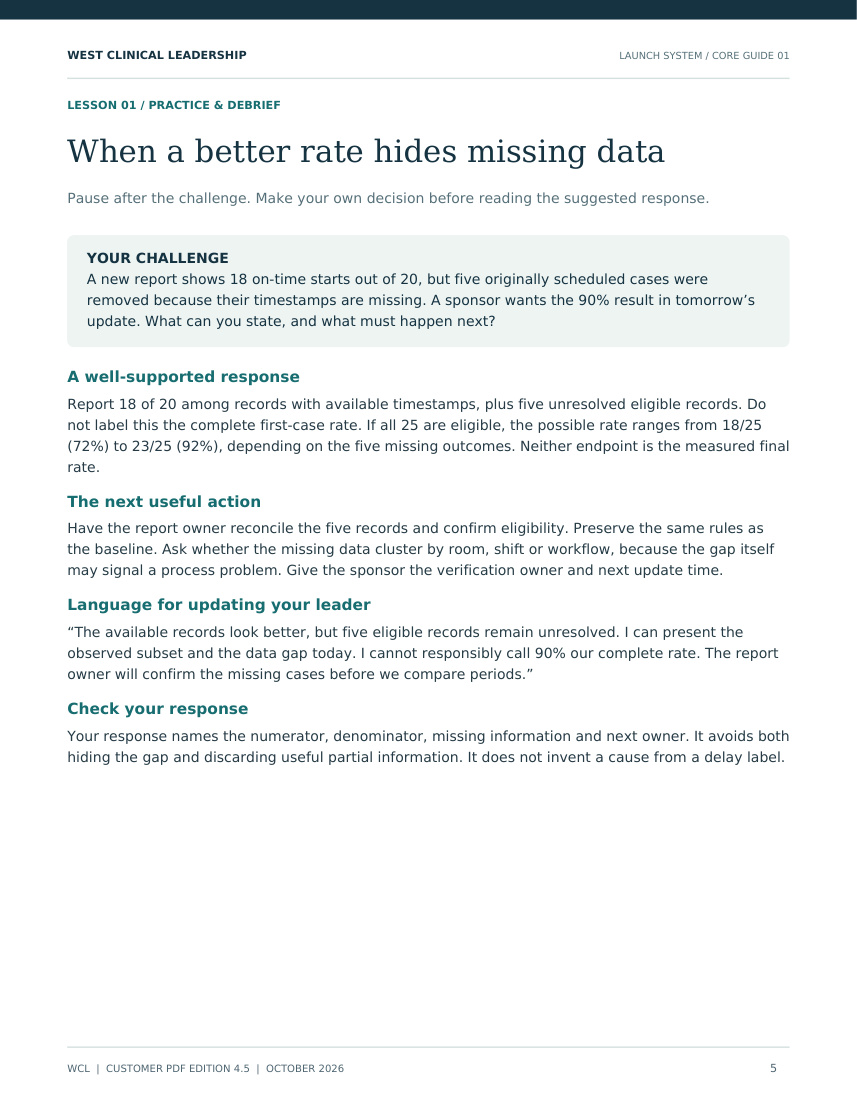
Define the first-case measure before assigning a cause
Actual page from the toolkit
Download the four-page PDF preview ↗
Open the sample page at full size ↗
Read the worked example as text
Fictional teaching examples. Adapt to your role and local policy; keep confidential details in approved systems.
A free place to begin
Practice before applying it.
Try three decisions as the situation develops. See what your choices change and what still needs attention. The full practice case is free.
Review delayed morning first cases →See the work before you buy
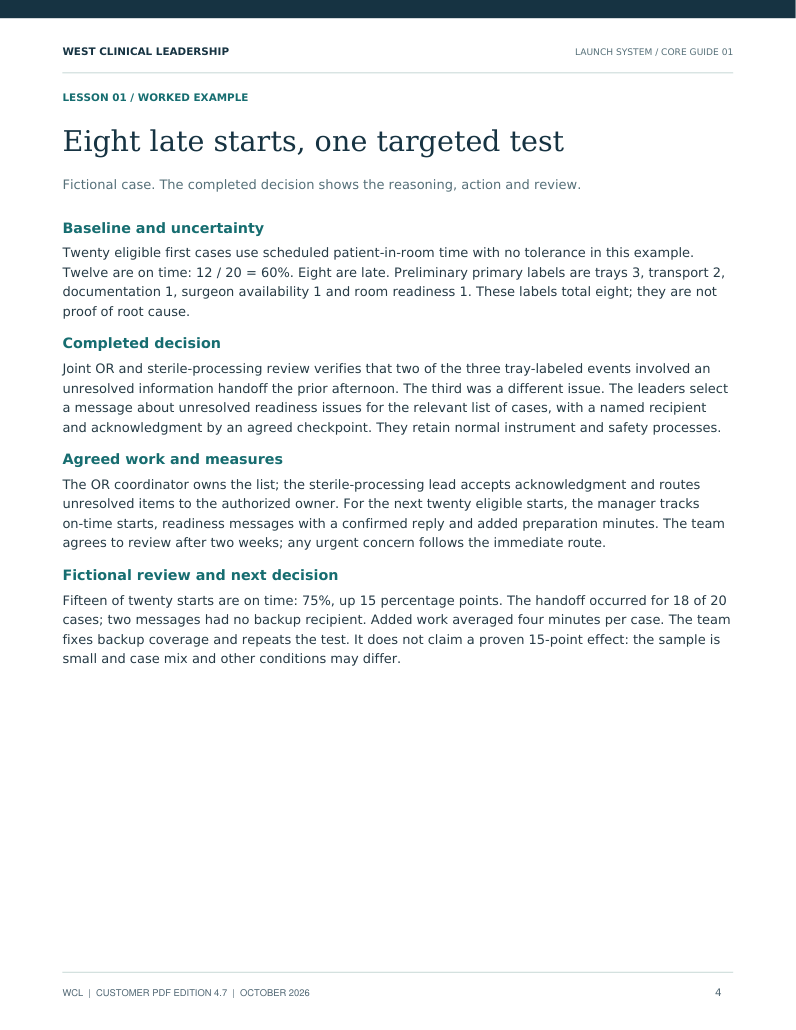
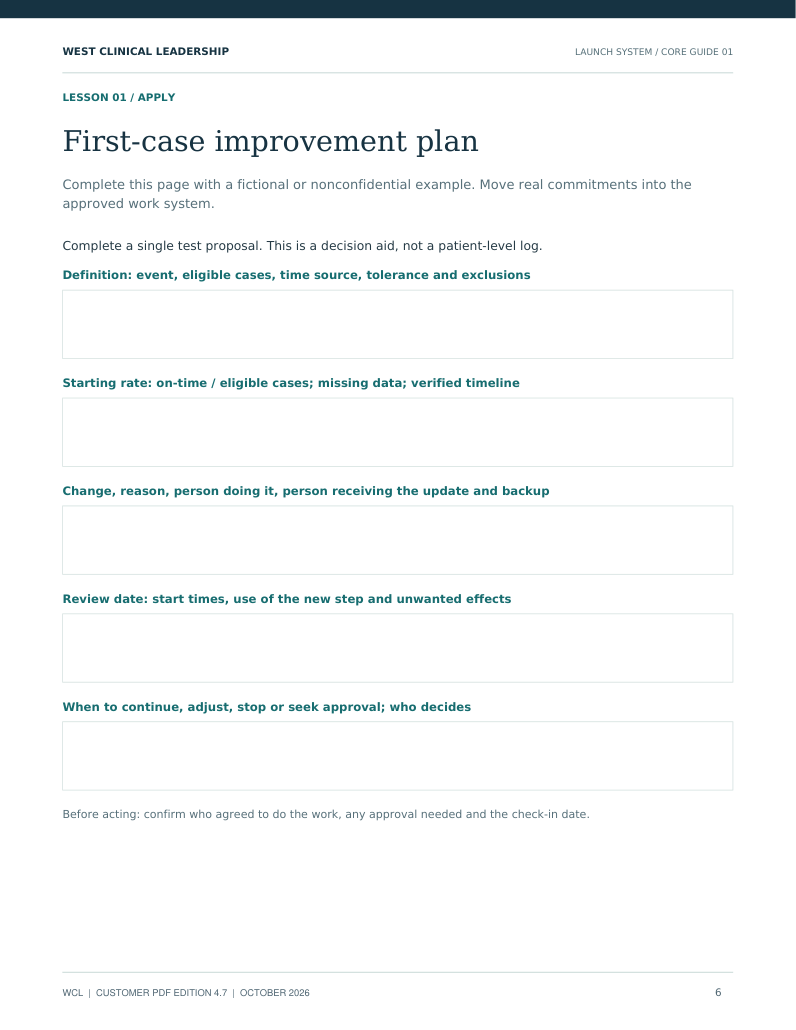
A completed example. A page for your own preparation.
These are actual pages from this toolkit. The example is fictional; use your own verified facts. The blank page shows what you will be able to prepare.
See a completed example
Overall PDF page 8
 Open the page at full size ↗
Read this page as text
See the matching working page
Overall PDF page 10
 Open the page at full size ↗
Read this page as text
Find your starting point
Open the pages for the work in front of you.
Numbers below refer to the PDF reader’s overall page counter. The printed labels within sections may differ. Use the named section or bookmark if your reader displays those labels instead.
Understand late first-case starts
Try this first: Agree which event counts as the start. Separate a delayed scheduled start from an intentionally later first case in a block.
In your toolkit: Reliable first-case starts, PDF page 7. Then use First-case improvement plan, PDF page 10.
Prepare: A proposal for one small change, with a clear starting point and a review date.
Follow this first-use route →Work through a turnover delay
Try this first: Map a comparable turnover sequence. Separate required work from waiting before choosing a change.
In your toolkit: Turnover and patient flow, PDF page 11. Then use Turnover delay worksheet, PDF page 14.
Prepare: One cause of waiting to investigate and one change to discuss.
Follow this first-use route →Begin a new or interim leadership role
Try this first: Ask the appointing leader what you own, what needs approval and what support is available.
In your toolkit: Appointment Field Guide, PDF page 49. Then use Agree the appointment, PDF page 51.
Prepare: A draft agreement to discuss with the leader who appointed you.
Follow this first-use route →Format, access and use
Begin with Start Here. Choose Operational Performance and Growth or Surgeon Relationships and Service for an existing operation. For a new or interim appointment, start with the Appointment Field Guide. Use the bookmarked reference examples and fillable planning tools as needed.
After payment is confirmed, Wix sends a download link to your checkout email. Save the PDF on your phone, tablet or computer. Open the contents or bookmarks and choose the section for your task. Find your first file and device instructions →
Use a PDF reader with form support for fillable pages. Each toolkit is one PDF; no Word edition is included. Phone browsers and document apps vary. Test one nonsensitive entry, then save, close and reopen it. Fields have fixed space. Use additional pages for longer work. A larger screen is helpful for writing and printing.
The license is for the individual purchaser’s professional use. Team distribution requires a separate license. Ask about permission to use the toolkit with your team. Keep the original files and work in copies. Follow organizational policy and professional guidance; keep restricted information in approved systems.
Read the delivery and limited refund policy →